GlockApps Review: Inbox Placement Testing and Spam Analysis

Pros
- Tests inbox placement across Gmail, Yahoo, Outlook, AOL, and dozens of other providers simultaneously
- DMARC analytics dashboard consolidates authentication reports into actionable data
- Content analysis identifies specific elements triggering spam filters
- Automated scheduled tests catch deliverability drops before they become campaigns
Cons
- Pricing jumps steeply — the free plan is barely enough to evaluate the product
- User interface feels dated and can be confusing for first-time users
- Test seed lists may not perfectly reflect real-world inbox placement rates
- No built-in list cleaning or email verification — strictly a testing and monitoring tool
- DMARC analytics require separate DNS configuration that less technical users may struggle with
What is GlockApps?
GlockApps is an inbox placement testing platform that answers the question every email marketer eventually asks: did my email actually land in the inbox, or did it get quietly routed to spam? Unlike basic deliverability tools that check DNS records and authentication, GlockApps performs live send tests to seed addresses at Gmail, Yahoo, Outlook, AOL, Comcast, and dozens of other mailbox providers — then reports exactly where each copy ended up.
The company has been in the deliverability space for over a decade, building out its test infrastructure and expanding beyond simple inbox placement into DMARC analytics, content analysis, and automated monitoring. For deliverability professionals and email marketers who need more than gut instinct to diagnose placement issues, GlockApps provides the empirical data that drives real troubleshooting.
We have used GlockApps alongside other deliverability tools to audit email programs, diagnose sudden spam folder spikes, and validate infrastructure changes. This review covers the testing methodology, DMARC features, pricing reality, and how GlockApps fits into a broader deliverability toolkit.
Key Features We Tested
Inbox Placement Testing
The core product. You send your email to a GlockApps-provided seed list, and within minutes the platform reports placement across providers: inbox, spam, tabs (Promotions, Updates), or missing. Each test produces a detailed breakdown showing which providers are filtering your mail and which are delivering it cleanly.
The test results include authentication details (SPF, DKIM, DMARC pass/fail for each provider), content analysis flags, and IP reputation data. When a specific provider is flagging your email, GlockApps gives you the diagnostic data to understand why — whether it is a content trigger, a reputation issue, or an authentication gap.
In practice, we found the testing most valuable for catching provider-specific problems. Gmail might deliver to inbox while Outlook routes to spam, or vice versa. Without provider-level visibility, these discrepancies go unnoticed until subscribers complain — or worse, silently disengage.
Content Analysis
GlockApps scans your email content against known spam filter triggers and reports specific elements that may cause problems. This includes keyword analysis, HTML structure issues, image-to-text ratio, link analysis, and subject line evaluation. The content analysis runs as part of every inbox placement test, so you get deliverability data and content recommendations together.
The content analysis is useful but not comprehensive. It catches obvious spam triggers and structural problems, but it cannot predict how Gmail’s machine learning models will respond to your specific sender reputation combined with your content. We recommend running your content through our free Spam Word Checker and our Deliverability Tester first — the deliverability tester covers inbox placement, SPF/DKIM/DMARC, blacklists, and content analysis in a single free pass before you commit to a paid GlockApps test.
DMARC Analytics
GlockApps includes a DMARC analytics dashboard that aggregates the XML reports receiving mail servers send back when you have a DMARC policy published. These reports contain authentication results (SPF and DKIM) for every message received that claims to be from your domain — including messages you did not send.
The dashboard visualizes this data as charts and tables showing which sources are sending mail as your domain, which are passing authentication, and which are failing. This is how you detect unauthorized use of your domain (spoofing) and identify legitimate sending services that are not properly authenticated.
Setting up DMARC monitoring requires pointing your DMARC record’s reporting address to GlockApps. The setup process is straightforward for anyone comfortable editing DNS records. For organizations new to DMARC, the analytics provide a clear path from a monitoring-only policy (p=none) to enforcement (p=quarantine or p=reject) by showing you exactly what will break before you flip the switch.
Automated Testing
Paid plans include the ability to schedule recurring inbox placement tests. This is where GlockApps transitions from a diagnostic tool to a monitoring platform. You can set up daily or weekly tests and receive alerts when placement drops below a threshold — catching deliverability problems before they affect a full campaign send.
Automated testing is particularly valuable for senders with dedicated IPs, where IP reputation directly impacts placement. A shared IP issue at your ESP is the ESP’s problem, but a dedicated IP reputation drop is yours to manage. Scheduled GlockApps tests provide early warning.
Pricing Breakdown
GlockApps operates on a tiered subscription model:
- Free: 3 inbox placement tests total (not per month — total). This is essentially a demo.
- Essential ($79/mo): Inbox placement testing with a reasonable monthly test allowance, content analysis, basic DMARC analytics. Enough for senders doing weekly deliverability checks on a primary sending domain.
- Growth ($149/mo): Higher test volume, more DMARC analytics capacity, API access. Suited for agencies or mid-size senders with multiple sending domains or IPs.
- Enterprise ($399/mo): Maximum test volume, full DMARC analytics, priority support, multiple user seats. Designed for deliverability teams managing complex multi-brand sending programs.
The pricing is aggressive for what amounts to a testing and monitoring tool. At $79/month for the entry-level paid plan, GlockApps costs more than many full-featured email marketing platforms. The value proposition depends entirely on how much you depend on inbox placement — for senders doing 100,000+ emails per month where a 10% placement improvement represents real revenue, $79/month pays for itself quickly. For smaller senders doing 5,000 emails per month on a shared IP at Mailchimp, the cost is harder to justify.
We wish GlockApps offered a more accessible middle ground — something in the $30-40/month range with limited weekly tests for small senders who want basic monitoring without the full suite.
Who It’s Best For
GlockApps fits best in two scenarios:
Dedicated deliverability professionals managing email programs at scale. If your job title includes “deliverability” or you are responsible for maintaining sender reputation across multiple domains and IPs, GlockApps provides the testing infrastructure you need. The DMARC analytics, automated testing, and provider-level reporting are tools of the trade.
Mid-size senders (50,000-500,000 emails/month) who have outgrown the “send and hope” approach but do not need enterprise-grade platforms like Validity Everest. If you are experiencing inconsistent inbox placement and need diagnostic data to fix it, GlockApps provides the answers at a manageable price point.
For smaller senders, we recommend starting with our free Deliverability Tester — a 12-point analysis covering inbox placement, spam scoring, SPF/DKIM/DMARC validation, blacklist status, and content analysis, all at no cost. Our individual tools — SPF Checker, DMARC Checker, and Blacklist Checker — cover foundational diagnostics without monthly costs. If those tools reveal placement problems you cannot diagnose further, GlockApps is a logical next step for provider-level inbox visibility.
Limitations
The seed-based testing methodology has inherent limitations. GlockApps seed addresses do not have engagement history with your brand, which means Gmail’s engagement-weighted filtering (which heavily factors whether previous messages were opened, clicked, or ignored) may produce different results for seeds than for real subscribers. A message might land in the inbox for an engaged subscriber but hit spam for a seed address — or vice versa.
The user interface needs modernization. Navigation is not always intuitive, reports can be slow to load, and the overall design feels like it belongs to an earlier generation of SaaS products. The data is solid; the presentation needs work.
GlockApps is exclusively a testing and monitoring tool. It does not fix deliverability problems — it identifies them. You still need the knowledge and access to implement fixes, whether that means adjusting content, warming up an IP, fixing authentication, or working with your ESP. For the diagnostic piece, GlockApps delivers. For remediation, you are on your own.
Finally, the free plan is essentially useless for ongoing use. Three tests total is a product demo, not a free tier. Competitors like Unspam.email offer 5 tests per month on their free plan, which is at least enough for monthly checks on a single domain.
Bottom Line
GlockApps is a reliable, well-established inbox placement testing tool that provides genuine diagnostic value for email senders struggling with deliverability. The DMARC analytics add a layer of authentication monitoring that many competitors lack. The data quality is solid, and the automated testing capability turns the platform from a one-time diagnostic into an ongoing monitoring solution.
Before committing $79/month, start with our free Deliverability Tester. It runs a 12-point analysis — inbox placement simulation, spam score, SPF/DKIM/DMARC validation, blacklist check across 14 DNSBLs, and content analysis — at no cost. Many senders find this covers their diagnostic needs entirely. If you still need provider-level placement testing at scale or automated scheduled monitoring after using our free tools, GlockApps is worth the subscription.
The main barriers to GlockApps are price and interface. At $79/month minimum for paid plans, the tool requires a sender with enough volume and revenue to justify the investment. The dated UI adds friction to an otherwise capable product. If your email program generates enough revenue that inbox placement directly impacts the bottom line, GlockApps delivers the answers — just make sure you have exhausted the free diagnostics first.
Our Verdict
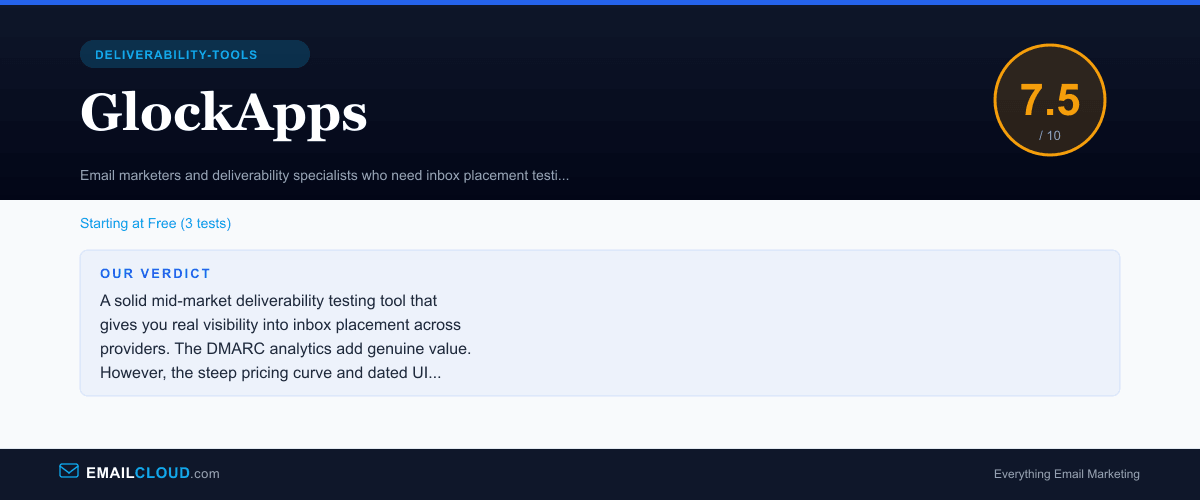
A solid mid-market deliverability testing tool that gives you real visibility into inbox placement across providers. The DMARC analytics add genuine value. However, the steep pricing curve and dated UI prevent it from being a universal recommendation — smaller senders may find the cost hard to justify for periodic testing alone.
Review Summary
Share this visual summary. Right-click to save.
Frequently Asked Questions
How accurate is GlockApps inbox placement testing?
GlockApps uses seed-based testing, meaning it sends your email to a network of test addresses across Gmail, Yahoo, Outlook, and other providers, then checks whether each copy landed in the inbox, spam folder, or was missing entirely. In our testing, results generally reflected real-world placement within a 5-10% margin. The limitation is that seed addresses do not have the same engagement history as real subscribers, so Gmail's engagement-weighted filtering may produce slightly different results than what your actual list experiences. Still, GlockApps is one of the best tools available for identifying provider-specific deliverability problems before they hit production sends.
Is the GlockApps free plan useful?
Barely. The free plan includes only 3 inbox placement tests, which is enough to see how the product works but not enough to make ongoing deliverability decisions. Before evaluating GlockApps, run our free Deliverability Tester at /delivery-check — it provides a 12-point analysis including inbox placement, spam scoring, SPF/DKIM/DMARC validation, and blacklist checks at no cost with no test limit. If you still need GlockApps after that, the Essential plan at $79/month provides enough test volume for most senders doing weekly or bi-weekly deliverability checks.
How does GlockApps compare to Validity Everest?
GlockApps is a mid-market inbox placement tool priced for small to mid-size email programs. Validity Everest is an enterprise platform with deeper competitive intelligence, real-time monitoring, and design testing capabilities — but it costs ten times as much. For senders doing under 500,000 emails per month who need solid inbox placement testing and DMARC analytics, GlockApps provides good value. Enterprise senders with complex multi-brand programs and dedicated deliverability teams will find Everest's depth worth the premium.
Does GlockApps help with DMARC setup?
GlockApps includes a DMARC analytics dashboard that aggregates and visualizes DMARC reports from receiving servers. It does not set up DMARC for you — you still need to publish the DNS records — but it makes the aggregate reports human-readable. Without a tool like this, DMARC reports arrive as raw XML files that are nearly impossible to interpret manually. GlockApps presents them as charts showing authentication pass/fail rates by sending source, which helps identify unauthorized senders using your domain. Our free DMARC checker can verify your records are properly configured before you start monitoring with GlockApps.
Stay ahead of the inbox
Weekly tips on deliverability, automation, and growing your list. No spam, ever.
No spam. Unsubscribe any time. We respect your inbox.