Mailtrap Review: Email Testing and Sending for Developers

Pros
- Best-in-class email testing sandbox — captures emails before they reach real inboxes
- HTML and CSS analysis catches rendering issues across email clients automatically
- Seamless transition from testing to production sending within the same platform
- Generous free tier with 100 test emails per month — enough for individual developers
- Spam analysis checks content against SpamAssassin rules before you send to real recipients
Cons
- Production sending infrastructure is newer and less battle-tested than SendGrid or Mailgun
- Limited marketing email features — this is a developer tool, not a campaign platform
- Sending volume caps on lower plans may restrict growth-stage applications
- No dedicated IP option on entry-level sending plans
- Analytics and reporting are functional but basic compared to established transactional email providers
What is Mailtrap?
Mailtrap solves a problem that every development team encounters: how do you test email functionality in your application without accidentally sending messages to real people? The answer, historically, has been awkward workarounds — commenting out send calls, routing everything to a single test mailbox, or maintaining separate SMTP configurations that occasionally leak into production and send a password reset email to a customer from a staging server.
Mailtrap provides a purpose-built fake SMTP server that captures outgoing emails from your application in a web-based inbox. You swap in Mailtrap’s SMTP credentials during development and staging, and every email your application generates gets intercepted and displayed in the Mailtrap dashboard — where you can inspect HTML rendering, check headers, validate spam scores, and verify content without any risk of reaching real recipients.
The company launched in 2013 as a testing-only tool and has since expanded into production email sending with a full transactional email API. This evolution from testing to testing-plus-sending creates a unified platform where the same team that debugs email in staging can deploy it to production without switching services.
We have integrated Mailtrap into CI/CD pipelines, used it for QA workflows, and tested its production sending capabilities against established alternatives. This review covers both sides of the platform.
Key Features We Tested
Email Testing Sandbox
The testing sandbox is Mailtrap’s signature product and it remains the best in its category. Setup is simple: point your application’s SMTP configuration to Mailtrap’s SMTP server with the provided credentials. Every email your application sends is captured in your Mailtrap inbox instead of being delivered to real recipients.
The captured emails are displayed in a web interface that shows the full message — headers, HTML rendering, text version, raw source, and any attachments. You can inspect each email individually, check how it renders, and verify that dynamic content (variables, conditional blocks, personalization) is populating correctly.
What makes Mailtrap particularly useful for teams is the project and inbox organization. You can create separate inboxes for different projects, environments (development, staging, QA), or team members. Each inbox has its own SMTP credentials, so different applications or environments route to different inboxes automatically.
HTML and CSS Analysis
Email HTML is notoriously tricky. What renders perfectly in a browser may break catastrophically in Outlook, Gmail, or Yahoo Mail due to inconsistent CSS support across email clients. Mailtrap’s HTML analysis tab checks your email markup against known email client compatibility issues and flags potential rendering problems.
The analysis catches common issues: unsupported CSS properties, missing inline styles, problematic layout structures, and image handling issues. It does not replace testing in actual email clients (tools like Litmus or Email on Acid do that), but it catches the most common HTML errors before you get to that stage.
For development teams that do not have email HTML expertise, this feature prevents many of the “it looked fine in the browser” problems that plague email development.
Spam Analysis
Every captured test email is automatically analyzed against SpamAssassin rules, returning a spam score and a detailed breakdown of which rules triggered and why. This pre-production spam check is valuable — you can identify content triggers, missing authentication headers, and structural issues before your email ever touches a real spam filter.
The spam analysis is not a replacement for inbox placement testing (which requires sending to real providers and checking actual delivery), but it catches the low-hanging fruit: spammy keywords, missing unsubscribe headers, authentication gaps, and HTML issues that trigger common filters. For a quick pre-send sanity check, it works well. For deeper deliverability analysis, pair it with our free Spam Word Checker for content review and our Deliverability Tester for a 12-point analysis that adds inbox placement simulation, blacklist checks, and full authentication validation on top of what Mailtrap covers.
Production Email Sending
Mailtrap’s sending product provides a transactional email API with SMTP relay support. The API handles the standard transactional email use cases — password resets, order confirmations, account notifications, and other application-generated messages. You get event tracking (delivered, opened, clicked, bounced), webhook notifications, and sending analytics.
The sending infrastructure is built on shared and dedicated IP pools with automatic warmup support. Domain authentication (SPF, DKIM) is handled through DNS record configuration, and the dashboard provides clear setup instructions with verification checks.
In our testing, the sending API performed reliably for moderate-volume transactional use cases. Delivery speeds were competitive, and inbox placement was consistent across major providers. Where Mailtrap’s sending falls short compared to Mailgun, Postmark, or SendGrid is at scale — the infrastructure is newer, the track record is shorter, and the advanced features (sophisticated templating, inbound email processing, complex routing) are not as mature.
API and Developer Experience
The API is RESTful and well-documented, with SDKs for popular languages including Ruby, Python, PHP, Node.js, and Elixir. The documentation is clean and includes practical code examples. Both the testing and sending products are API-accessible, meaning you can integrate Mailtrap into CI/CD pipelines — automated tests can send emails through the sandbox and verify content programmatically via the API.
This CI/CD integration is where Mailtrap adds particular value. You can write automated tests that verify email content, check spam scores, and validate HTML rendering as part of your deployment pipeline. If an email template change introduces a spam trigger or breaks rendering, the test catches it before deployment.
Pricing Breakdown
Mailtrap separates pricing for testing and sending:
Email Testing:
- Free: 100 test emails/month, 1 inbox, HTML analysis, spam analysis
- Individual ($15/mo): 10,000 test emails/month, 3 inboxes, API access
- Business ($25/mo): 50,000 test emails/month, 15 inboxes, team collaboration features
- Enterprise ($50/mo): 150,000 test emails/month, unlimited inboxes, priority support
Email Sending:
- Free: 1,000 emails/month, basic analytics
- Basic ($10/mo): 10,000 emails/month, event tracking, webhooks
- Business ($85/mo): 100,000 emails/month, dedicated IP, advanced analytics
- Enterprise (custom): High volume, SLA, dedicated infrastructure
The pricing is reasonable for both products. The free testing tier is genuinely useful for individual developers, and the $15/month Individual plan covers most small team needs. On the sending side, the per-email cost at moderate volumes is competitive with Mailgun and SendGrid, though not as cheap as Amazon SES for pure volume.
The ability to use the testing product independently — many teams use Mailtrap for testing while sending production email through a different provider — means you can adopt the testing sandbox without committing to the sending infrastructure.
Who It’s Best For
Mailtrap is purpose-built for development teams, and that is exactly who should be evaluating it.
Development teams building applications that send email get the most value from Mailtrap. The testing sandbox eliminates the risk of test emails reaching customers, the HTML analysis catches rendering issues early, and the spam analysis provides pre-production deliverability checks. If your team currently uses ad-hoc workarounds for email testing (environment-specific SMTP configs, email commenting, or sending everything to a test mailbox), Mailtrap replaces all of that with a proper workflow.
QA teams and CI/CD pipelines benefit from the API-accessible testing inbox. Automated tests can verify email content, check spam scores, and validate rendering as part of the deployment process. This is particularly valuable for applications where email is a critical user interaction (ecommerce, SaaS, fintech).
Small to mid-size applications that want a single platform for testing and production sending can use Mailtrap end-to-end. The unified workflow — test in staging, send in production, same dashboard — simplifies the email stack.
For high-volume senders (1 million+ emails/month) or applications that need advanced transactional email features like inbound processing or complex template engines, more established providers like Mailgun, Postmark, or SendGrid remain the safer choice for the production sending side.
Limitations
The production sending infrastructure, while functional and growing, does not yet have the track record of services that have been delivering billions of emails for over a decade. For mission-critical transactional email in high-volume applications, this maturity gap matters. Mailtrap’s sending is fine for most applications, but if your business depends on 99.99% deliverability for millions of daily messages, the established players offer more proven infrastructure.
Marketing email capabilities are essentially nonexistent. Mailtrap is a developer tool for transactional email. If you need campaign builders, subscriber management, automation workflows, or A/B testing, you need a different category of product entirely.
The analytics and reporting in the sending product are functional but basic. You get delivery events, open and click tracking, and bounce management. You do not get the detailed analytics dashboards, cohort analysis, or engagement metrics that mature platforms like SendGrid or Postmark offer.
Dedicated IP availability is limited to higher-tier sending plans. For applications that need IP reputation control from day one, this means committing to a Business sending plan ($85/month) before you get that option.
Bottom Line
Mailtrap is the best email testing tool available for development teams, and there is no close second. The testing sandbox, HTML analysis, spam scoring, and API access create a workflow that every team sending email from their application should adopt. The fact that you can also use Mailtrap for production sending makes it a compelling single-platform option for small to mid-size applications.
The production sending product is solid and improving, but teams with high-volume or mission-critical transactional email needs may still want to pair Mailtrap’s testing sandbox with a more established sending provider. That is a perfectly valid configuration — and one of the strengths of Mailtrap’s modular pricing model.
Our Verdict
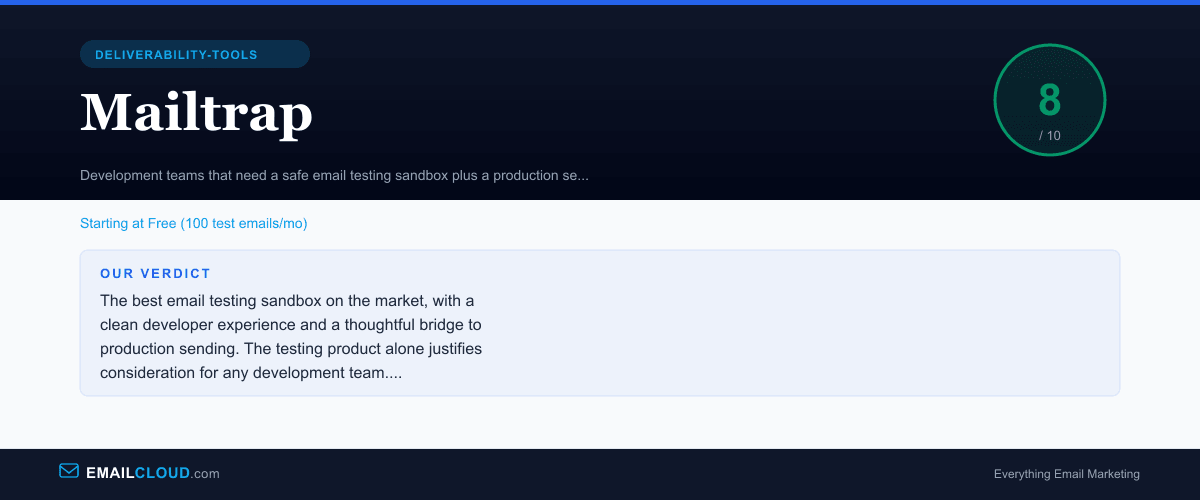
The best email testing sandbox on the market, with a clean developer experience and a thoughtful bridge to production sending. The testing product alone justifies consideration for any development team. Production sending is solid but less proven at scale than dedicated providers like Mailgun or Postmark.
Review Summary
Share this visual summary. Right-click to save.
Frequently Asked Questions
What is Mailtrap used for?
Mailtrap serves two primary functions. First, it provides an email testing sandbox — a fake SMTP server that captures outgoing emails from your application so you can inspect them without sending to real recipients. This prevents test emails from reaching customers during development and staging. Second, it offers a production email sending API for transactional email. The combination lets development teams test emails in staging and send them in production from the same platform.
Is Mailtrap free?
Yes. Mailtrap offers a free plan that includes 100 test emails per month in the testing sandbox, plus 1,000 emails per month through the sending API. The free testing tier is sufficient for individual developers working on small projects. For teams or applications with higher testing volume, paid testing plans start at $15 per month. For production sending beyond 1,000 emails, sending plans start at $10 per month.
How does Mailtrap compare to Mailgun and SendGrid?
Mailtrap occupies a different niche. Mailgun and SendGrid are production email infrastructure services — they focus on reliably sending email at scale. Mailtrap started as a testing tool and added production sending later. If you need battle-tested infrastructure for millions of transactional emails, Mailgun or SendGrid are more established choices. If your primary need is a development workflow that combines safe testing with production sending, Mailtrap's unified approach is more elegant. Many teams use Mailtrap for testing alongside a separate service for production sending.
Does Mailtrap help with email deliverability?
Indirectly, yes. Mailtrap's testing sandbox includes spam analysis, HTML validation, and blacklist monitoring. These pre-send checks help you identify deliverability risks before emails reach production. The platform also checks your sending domain's authentication setup (SPF, DKIM, DMARC). However, Mailtrap is not an inbox placement testing tool — for that, use our free Deliverability Tester at /delivery-check, which tests inbox placement simulation, authentication, blacklists, and content across a 12-point analysis at no cost. For enterprise-scale real-time monitoring, Validity Everest fills that role.
Stay ahead of the inbox
Weekly tips on deliverability, automation, and growing your list. No spam, ever.
No spam. Unsubscribe any time. We respect your inbox.