Writer.com Review: Enterprise Brand Governance for Email Teams

Pros
- Best-in-class brand governance — style guides, terminology rules, and tone enforcement are genuinely powerful
- Team-wide consistency that scales — every writer follows the same rules without manual review
- Approval workflows ensure email copy meets standards before it reaches customers
- Custom AI models trained on your brand's approved content and style
Cons
- Overkill for small businesses — the governance features solve problems that small teams do not have
- Email is just one use case among many — you pay for capabilities you may not need
- No ESP integration — copy must be written in Writer and moved to your email platform
What is Writer.com?
Writer.com approaches AI writing from the enterprise compliance angle. While most tools in the AI email category focus on generating more content faster, Writer focuses on ensuring that all content — human-written, AI-generated, or edited from templates — meets a set of brand standards that the organization defines and enforces.
Founded in 2020 by May Habib and Waseem Alshikh, Writer built its own large language model (Palmyra) rather than wrapping OpenAI or Anthropic APIs. This architectural decision matters for enterprise customers who need data sovereignty, custom model training, and the ability to ensure that their proprietary content is not used to train external models. Writer has raised over $200 million in funding and counts HubSpot, Accenture, Deloitte, L’Oreal, and Intuit among its clients.
The relevance to email marketing is specific: Writer solves the brand consistency problem that emerges when multiple people write emails on behalf of the same organization. When one person writes your emails, consistency is natural. When ten people write emails — across marketing campaigns, sales outreach, customer success, and product updates — the brand voice fractures. Writer prevents that fracture through style guides, terminology enforcement, tone analysis, and approval workflows.
We evaluated Writer specifically for email marketing use cases. This review covers what the governance model delivers, where it adds genuine value, and where the email marketer’s dollar is better spent on more focused tools.
Key Features for Email Marketers
Style Guide Engine
Writer’s style guide is not a document people are supposed to read and follow. It is an active enforcement layer that flags violations in real time as team members write.
You define rules across multiple dimensions:
- Terminology: Specify approved and prohibited terms. “Email marketing” vs. “email advertising.” “Subscribers” vs. “contacts.” “Free trial” vs. “complimentary trial period.” When a writer uses the wrong term, Writer flags it with the approved alternative.
- Grammar and style: Go beyond standard grammar to enforce house rules. Oxford comma usage, number formatting, capitalization conventions, hyphenation standards, abbreviation rules. Every team has style preferences that Grammarly does not know about — Writer encodes them.
- Tone parameters: Define the brand’s tone along multiple axes — formal/casual, technical/accessible, authoritative/conversational. Writer flags copy that deviates from the defined parameters.
- Inclusive language: Rules for avoiding biased, exclusionary, or insensitive language. Particularly relevant for brands communicating across diverse audiences.
- Compliance language: For regulated industries, Writer can enforce that specific disclosures, disclaimers, or required language appears in communications. Financial services, healthcare, and legal teams use this to prevent compliance violations in email.
For email marketing specifically, the style guide ensures that your welcome email, your promotional campaign, and your monthly newsletter all sound like they come from the same brand — even when three different people wrote them. This is the problem Writer solves better than any other tool in this category.
Terminology Management
A dedicated layer within the style guide that deserves separate attention. Terminology management is where Writer provides value that no other AI writing tool matches for email teams:
- Product names: Ensure every mention of your product uses the exact correct name, capitalization, and trademark symbols. “Salesforce Marketing Cloud” not “salesforce marketing cloud” or “SFMC.”
- Feature names: When your product renames a feature (as products frequently do), update it once in Writer and every new email that references the old name gets flagged.
- Competitor names: Define how (and whether) to reference competitors. Some brands have policies about naming competitors; Writer enforces them.
- Industry jargon: Control which technical terms are acceptable for your audience and which should be replaced with plain language.
Email is particularly susceptible to terminology drift because campaigns are often written quickly, by multiple people, with limited editorial review. Writer catches the inconsistencies that human reviewers miss under time pressure.
Approval Workflows
Writer includes workflow features that route content through approval chains before publication. For email marketing teams, this means:
- Draft review: An email campaign draft can be routed to a brand manager, legal reviewer, or senior marketer for approval before it enters the ESP.
- Rule violation alerts: If a draft contains style guide violations, approvers see them flagged, reducing the review burden.
- Version tracking: Multiple revisions are tracked with change history, so approvers can see what changed between drafts.
This is enterprise functionality that small teams do not need. If your email approval process is “write it, read it once, send it,” Writer’s workflow features add friction without value. If your process involves legal review, brand compliance checks, and multi-stakeholder approval, Writer streamlines what would otherwise be a chain of emails and document comments.
AI Content Generation (Palmyra)
Writer’s proprietary LLM can generate content within the constraints defined by your style guide. For email, this means:
- Draft email copy from a prompt, with the output pre-filtered through your terminology rules, tone parameters, and style guidelines.
- Rewrite existing email drafts to comply with brand standards.
- Suggest alternative phrasing that maintains meaning while matching approved tone and vocabulary.
The generation quality is comparable to Jasper for general marketing copy but less email-specific. Writer does not offer email subject line templates, campaign sequence builders, or the email-focused workflow tools that Jasper provides. The generation is governed by brand rules, which is the differentiator — but if you need email-specific templates and workflows, Jasper remains the better tool for the generation component.
Pricing Breakdown
Writer’s pricing reflects its enterprise positioning:
- Team ($18/user/mo): Style guide, terminology management, AI suggestions, Palmyra AI assistant, Chrome extension, integrations with Google Docs and Microsoft Word. Minimum 5 users on annual billing.
- Enterprise (custom pricing): Everything in Team plus custom AI model training, SAML SSO, advanced admin controls, dedicated account management, SLA, API access, custom integrations. Pricing typically starts around $40-60/user/mo based on industry reports.
At $18/user/mo for a 10-person marketing team, Writer costs $180/month. For comparison, Jasper Pro at $69/mo covers 5 users, and Grammarly Business at $25/user/mo for 10 users costs $250/month. Writer is competitively priced at the team level but becomes expensive as user counts grow, and the minimum 5-seat requirement excludes very small teams.
The ROI case for Writer is different from other tools in this category. Jasper saves time by generating content. Grammarly prevents errors. Writer prevents brand inconsistency and compliance violations. The value of preventing a brand-damaging email or a compliance violation in a regulated industry can be substantial — a single FINRA fine for non-compliant email in financial services can exceed $100,000. Writer’s cost is a rounding error in that context.
Who It’s Best For
Writer delivers clear value for specific organizational profiles:
- Large marketing teams (10+ writers) producing email campaigns across multiple products, segments, or regions. The brand consistency problem scales with team size, and Writer scales with it.
- Regulated industries (financial services, healthcare, legal) where email communications must comply with specific language requirements. Writer’s compliance enforcement layer reduces legal risk.
- Multi-brand organizations managing separate brand voices across different email programs. Writer supports multiple style guides, one per brand, with rules that prevent cross-brand contamination.
- Global companies with regional marketing teams writing in English but with different localization requirements. Writer can enforce US English for the US team and UK English for the UK team while maintaining consistent brand voice.
- Companies with brand style guides that nobody follows. If your brand guidelines live in a PDF that was last updated two years ago and nobody reads, Writer transforms those guidelines into active enforcement.
Limitations
Writer’s limitations for email marketers are worth understanding clearly:
Overkill for small teams. A solo marketer or a team of 2-3 does not need style guide enforcement software. Brand consistency at that scale is maintained through conversation and proximity. Writer’s value proposition begins at roughly 8-10 writers and scales from there. Below that threshold, Grammarly Business with its team style guide feature covers the basics at lower cost.
No ESP integration. Writer does not integrate directly with email marketing platforms. You write in Writer (or in your browser with the Writer extension), then move the copy to your ESP. For teams using Mailchimp, ActiveCampaign, or Klaviyo, this means the governance layer works during drafting but not during the final editing that happens inside the ESP’s visual builder. The Chrome extension partially bridges this gap but does not offer the full Writer experience.
Email is one use case among many. You are paying for Writer’s full capabilities — style guides, content generation, knowledge management, workflow, and governance across all content types. If you only use it for email, you are underutilizing the platform. The pricing makes more sense when Writer covers email, blog content, social media, help documentation, and product copy.
Setup requires investment. Building a comprehensive style guide in Writer takes time. Defining terminology rules, configuring tone parameters, establishing approval workflows — this is a project that requires someone to own it. Expect 2-4 weeks of setup before the team sees value, which is longer than signing up for Jasper or Copy.ai and generating an email in five minutes.
Generation is not email-specialized. Writer generates content that adheres to brand guidelines, but it lacks the email-specific templates and workflow tools that Jasper provides. If you need a tool that generates email subject lines, campaign bodies, and drip sequences with email-specific best practices built in, Jasper is the better generator. Writer is the better governor.
How It Compares
Writer occupies a specific niche that overlaps with but differs from other AI email tools:
- Vs. Jasper: Jasper is primarily a content generation tool with Brand Voice for consistency. Writer is primarily a governance tool with AI generation as a supporting feature. For email copy generation, Jasper is stronger. For brand enforcement across a large team, Writer is stronger. Enterprise marketing teams sometimes use both.
- Vs. Grammarly: Grammarly catches errors and assesses tone. Writer enforces brand rules and manages terminology. Grammarly is reactive (flagging problems after you write them). Writer is proactive (establishing rules that prevent problems). Grammarly Business includes a lighter version of style guide functionality, but Writer’s is far more comprehensive.
- Vs. Copy.ai: Different categories entirely. Copy.ai generates content quickly with a free tier. Writer governs content quality across teams. They serve different needs at different organizational scales.
- Vs. Phrasee: Phrasee optimizes subject lines with predictive models trained on performance data. Writer enforces brand consistency on whatever subject lines your team writes. Phrasee is performance-focused; Writer is compliance-focused. Large enterprises might use both — Phrasee for subject line optimization, Writer for ensuring the email body adheres to brand standards.
For email-specific AI tools and techniques, our guide on AI email copywriting covers the full landscape and helps you determine which tools address your specific challenges.
The Bottom Line
Writer.com is the most capable brand governance platform available, and for large email marketing teams in regulated industries or multi-brand organizations, it solves a problem that no other tool in this review series addresses. The style guide enforcement, terminology management, and approval workflows transform brand guidelines from aspirational documents into active constraints that shape every email before it ships.
For most email marketers, however, Writer is solving a problem they do not have yet. Small teams, solo marketers, and businesses with a single brand voice maintained by a few writers will find more immediate value in tools like Jasper (for generation), Grammarly (for quality), or our free Subject Line Grader and Spam Word Checker (for email-specific optimization).
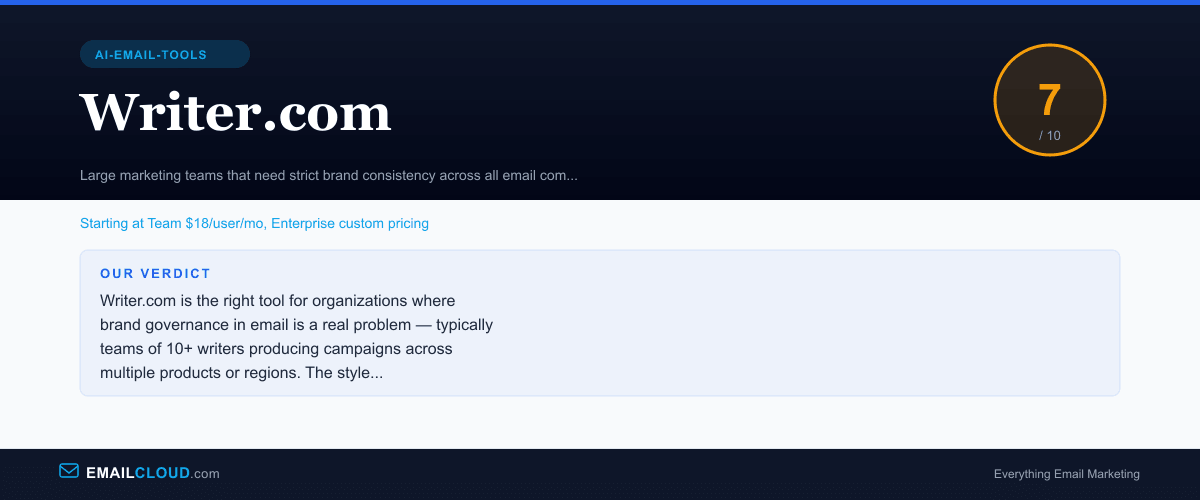
Writer earns a 7.0 — a strong tool for its intended audience, but its intended audience is a subset of the email marketing world. If you are not sure whether you need brand governance software, you probably do not. When you do need it, Writer is the best option available.
Our Verdict
Writer.com is the right tool for organizations where brand governance in email is a real problem — typically teams of 10+ writers producing campaigns across multiple products or regions. The style guide enforcement, terminology management, and approval workflows are genuinely powerful. For smaller teams or individual email marketers, the governance features solve problems you do not have, and tools like Jasper or Grammarly provide better value for the email-specific use case.
Review Summary
Share this visual summary. Right-click to save.
Frequently Asked Questions
What makes Writer.com different from Jasper or Copy.ai?
Writer.com is fundamentally a governance and consistency tool, not a content generation tool. While Jasper and Copy.ai focus on producing new copy quickly, Writer focuses on ensuring that all copy — whether human-written or AI-generated — meets brand standards. The style guide engine, terminology management, and approval workflows are built for teams where brand consistency across dozens of writers matters more than individual content creation speed.
Is Writer.com worth it for email marketing?
Only if you have a team large enough that brand consistency in email is a genuine problem. For a solo marketer or a team of 2-3, consistent voice happens naturally through close collaboration. For a team of 10+ writers producing email campaigns across multiple products, regions, or audience segments, Writer prevents the brand fragmentation that otherwise requires extensive manual review. The value scales with team size.
How does Writer.com enforce brand voice in emails?
Writer uses a combination of prescriptive rules and AI-learned patterns. You define style guide rules — approved terminology, prohibited phrases, tone parameters, formatting standards — and Writer flags violations in real time as anyone on the team writes. The AI layer goes further, learning patterns from your approved content and suggesting rewrites that match your brand's specific voice. It is more comprehensive than Grammarly's tone detection but also more complex to configure.
Can Writer.com generate email copy or just edit it?
Writer can both generate and edit. Its AI assistant (called Palmyra, based on Writer's proprietary LLM) can draft email copy from prompts, and the governance layer ensures that generated content adheres to brand guidelines. However, Writer's generation capabilities are less email-specific than tools like Jasper — it generates within brand constraints but does not have email-specific templates, subject line optimizers, or campaign workflow tools.
Stay ahead of the inbox
Weekly tips on deliverability, automation, and growing your list. No spam, ever.
No spam. Unsubscribe any time. We respect your inbox.