2025: The European Accessibility Act Makes Accessible Email a Legal Requirement
For years, email accessibility was a best practice. Thoughtful email designers added alt text to images, used semantic HTML, ensured sufficient color contrast, and tested with screen readers — not because they had to, but because they understood that some percentage of their audience relied on assistive technology to read email. It was the right thing to do, and most companies simply didn’t do it.
On June 28, 2025, the European Accessibility Act changed the equation. Accessible email is no longer optional for anyone doing business in the EU. It is a legal requirement, and non-compliance carries financial penalties.
What the EAA Actually Requires
The European Accessibility Act (Directive 2019/882) was adopted by the European Parliament in 2019, with a compliance deadline of June 28, 2025, giving member states and businesses six years to prepare. The directive covers a broad range of products and services: computers, smartphones, ATMs, ticketing machines, e-commerce websites, banking services, streaming platforms, and — critically for the email industry — electronic communications.
The EAA doesn’t spell out email-specific technical requirements line by line. Instead, it mandates that digital services be “perceivable, operable, understandable, and robust” — language directly borrowed from the Web Content Accessibility Guidelines (WCAG). For email, this translates into concrete requirements.
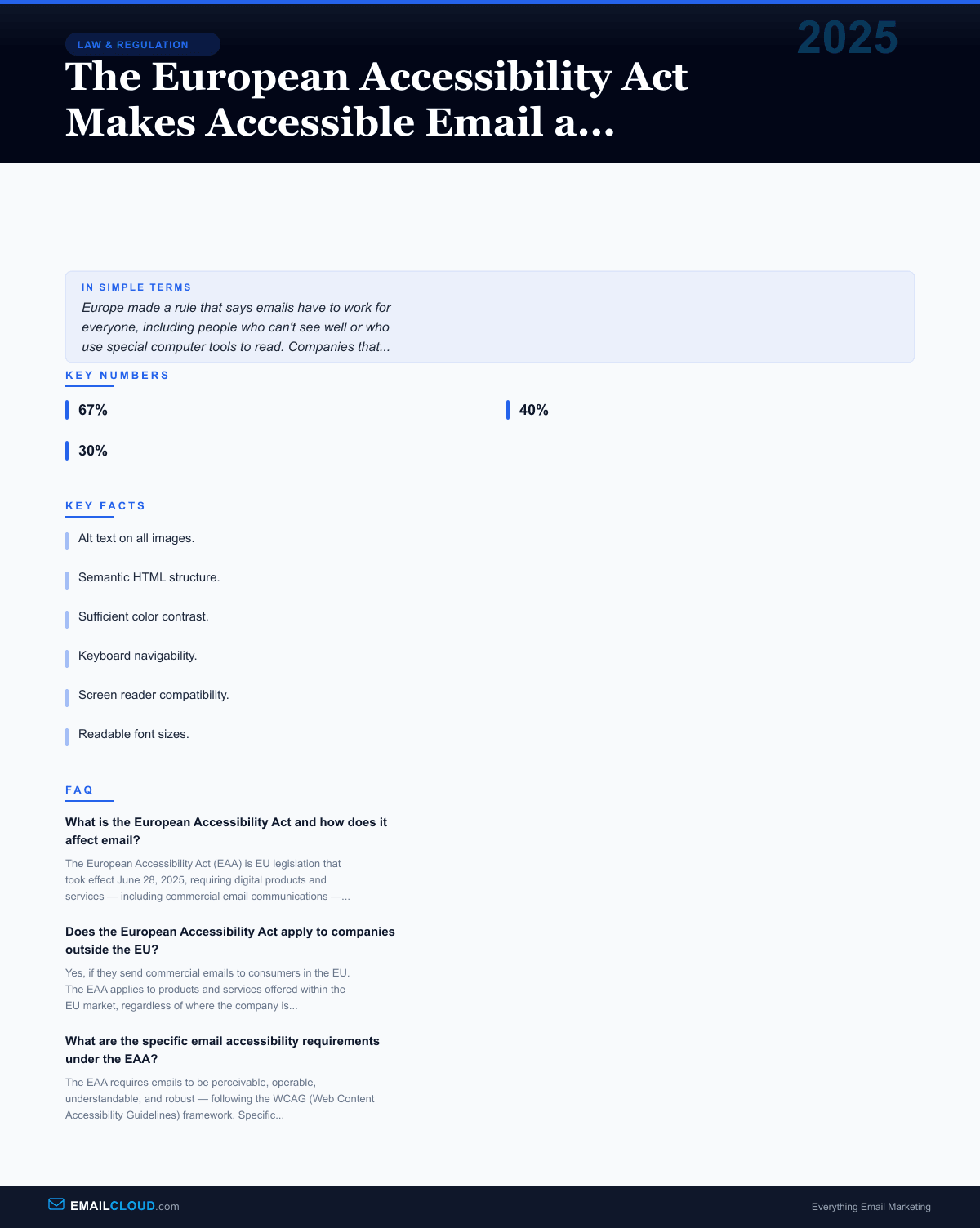
Alt text on all images. Every image in a commercial email must have a text alternative that conveys the image’s meaning. Decorative images should use empty alt attributes so screen readers skip them. An image with important text (a sale announcement rendered as a graphic, for example) must have alt text that reproduces the text content.
Semantic HTML structure. Emails must use proper heading hierarchy, semantic list elements, and table markup that distinguishes data tables from layout tables. Screen readers rely on semantic markup to navigate content — without it, an email becomes an incomprehensible wall of text.
Sufficient color contrast. Text must meet minimum contrast ratios against its background: 4.5:1 for normal text, 3:1 for large text. This requirement eliminates the common design choice of light gray text on white backgrounds — aesthetically popular, functionally invisible to users with low vision.
Keyboard navigability. Interactive elements in emails — links, buttons, form fields — must be accessible via keyboard navigation. Users who cannot use a mouse must be able to tab through interactive elements in a logical order.
Screen reader compatibility. The email’s content must be interpretable by assistive technology. This means proper use of ARIA roles where applicable, logical reading order in the HTML source, and language attributes that allow screen readers to switch pronunciation.
Readable font sizes. While the EAA doesn’t mandate a specific minimum font size, the requirement for perceivability effectively prohibits the tiny text that some email designs use for legal disclaimers or terms and conditions.
The State of Email Accessibility Before the EAA
The email industry’s accessibility track record going into 2025 was, charitably, mixed.
A 2024 analysis of the top 100 retail email senders found that 67% of emails contained images without alt text. Over 40% failed minimum color contrast requirements. Nearly 30% relied on image-only designs with no text alternative whatsoever — meaning that if images didn’t load (common in many email clients) or if a screen reader tried to parse the email, the recipient got nothing.
The reasons for poor accessibility were a mix of ignorance, indifference, and incentive misalignment. Email designers were evaluated on click-through rates and aesthetic appeal, not accessibility compliance. Email testing tools prioritized rendering across email clients (Outlook, Gmail, Apple Mail) rather than assistive technology compatibility. Template libraries offered visually polished designs that were semantically hollow.
There was also a knowledge gap. Web accessibility had been a mainstream concern for years, driven by ADA lawsuits in the US and WCAG adoption worldwide. But email existed in a parallel universe — built with different HTML constraints (tables for layout, inline CSS, limited semantic support), tested on different platforms, and often designed by marketers rather than web developers. The accessibility practices that were standard in web development hadn’t fully penetrated email production workflows.
Why Email Accessibility Matters
Approximately 87 million people in the EU have some form of disability. Within that population, visual impairments are the most directly affected by inaccessible email — but accessibility extends beyond vision. Motor impairments affect keyboard navigation. Cognitive impairments affect comprehension of complex layouts. Hearing impairments matter when emails contain embedded audio or video content without captions.
Beyond permanent disabilities, situational and temporary impairments affect a much larger audience. A user reading email in bright sunlight needs high contrast. A user with a broken arm needs keyboard navigation. A user reading in a non-native language benefits from clear, semantic structure. An aging population with declining vision needs readable font sizes. Accessible email serves all of these users.
There is also a straightforward business case. Emails that are accessible to screen readers are also accessible to email clients that block images by default — which is most corporate email environments. Alt text on images means the message still communicates when images don’t load. Semantic HTML means the content structure survives regardless of how the email client renders the design. Accessible email is, by definition, more resilient email.
What the Industry Had to Change
The EAA forced meaningful changes in how commercial emails are produced.
Email template libraries were the first domino. The major email service providers — Mailchimp, Brevo, Klaviyo, HubSpot, and others — audited their default templates for accessibility compliance and updated or replaced those that didn’t meet WCAG standards. This was significant because the majority of commercial emails are built from platform-provided templates rather than custom-coded from scratch.
Email design tools added accessibility checkers. Litmus and Email on Acid (the two dominant email testing platforms) expanded their testing capabilities to include contrast ratio checking, alt text verification, semantic structure analysis, and screen reader simulation. These features moved from “nice to have” to core functionality.
Marketing teams had to update their workflows. Image alt text became a required field in content briefs. Color palettes had to be validated against contrast requirements. QA checklists expanded to include accessibility verification. Some organizations hired accessibility specialists or trained existing staff.
Image-only emails — the laziest but not uncommon approach to email design, where the entire email is a single image or a few image slices — became a compliance liability. These emails convey zero information to screen readers, fail completely when images are blocked, and violate multiple EAA requirements simultaneously.
Enforcement and Penalties
The EAA is a directive, meaning each EU member state implements it through national legislation with its own enforcement mechanisms and penalty structures. This creates a patchwork of enforcement that can vary significantly across the EU.
Some member states have designated existing regulatory bodies (consumer protection agencies, telecommunications regulators) to handle EAA enforcement. Others have created new oversight mechanisms. Penalties range from administrative fines to mandatory corrective action to, in severe cases, market restrictions on non-compliant products and services.
For email marketers, enforcement is likely to be complaint-driven initially. A consumer who receives inaccessible commercial emails can file a complaint with their national regulatory authority. Organizations that receive complaints will face investigation and potential penalties. The pattern mirrors early GDPR enforcement, which also started slowly and escalated as regulatory bodies built capacity.
The Global Impact
While the EAA is EU legislation, its effects extend globally — just as GDPR’s influence extended far beyond European borders.
Companies that send email to EU consumers must comply regardless of where they are headquartered. For global brands, maintaining separate accessible and non-accessible email streams is more complex than simply making all emails accessible. The likely outcome — already visible in the months following the EAA’s effective date — is that companies will adopt accessible email practices universally rather than geo-targeting compliance.
This mirrors the “Brussels effect” observed with GDPR: when the EU sets a standard, global companies often adopt it everywhere because maintaining different standards for different markets is operationally impractical.
The EAA also adds momentum to accessibility legislation in other jurisdictions. Canada’s Accessible Canada Act, the UK’s Equality Act, and various US state-level accessibility laws create an increasingly dense web of requirements that point in the same direction: digital communications, including email, must be accessible.
The Bigger Picture
The European Accessibility Act represents a philosophical shift in how email is regulated. Previous email legislation — CAN-SPAM, GDPR, CASL — focused on consent and privacy: who you can email and what data you can collect. The EAA is the first major legislation that regulates how emails must be designed and built. It imposes technical standards on the email itself, not just the practices around sending it.
For the email industry, this is a maturation moment. Email design can no longer optimize solely for aesthetics and conversion. Accessibility is now a compliance requirement that sits alongside deliverability, privacy, and consent in the email marketer’s hierarchy of needs. The companies that adapted early will find themselves ahead. Those that treated accessibility as an afterthought have some catching up to do.
Infographic
Share this visual summary. Right-click to save.
Related Events
Frequently Asked Questions
What is the European Accessibility Act and how does it affect email?
The European Accessibility Act (EAA) is EU legislation that took effect June 28, 2025, requiring digital products and services — including commercial email communications — to meet accessibility standards. For email marketers, this means emails sent to EU consumers must include alt text on images, use semantic HTML, have sufficient color contrast, be navigable by keyboard, and be compatible with screen readers. Non-compliance can result in fines that vary by member state.
Does the European Accessibility Act apply to companies outside the EU?
Yes, if they send commercial emails to consumers in the EU. The EAA applies to products and services offered within the EU market, regardless of where the company is headquartered. If a US-based company sends marketing emails to subscribers with EU addresses, those emails must meet EAA accessibility requirements. This is similar to how GDPR applies to any company processing EU residents' data.
What are the specific email accessibility requirements under the EAA?
The EAA requires emails to be perceivable, operable, understandable, and robust — following the WCAG (Web Content Accessibility Guidelines) framework. Specific requirements include: meaningful alt text on all images, semantic HTML structure (proper headings, lists, tables), minimum color contrast ratios (4.5:1 for normal text), keyboard-accessible interactive elements, screen reader compatibility, readable font sizes, and logical reading order. Image-only emails with no text alternatives are explicitly non-compliant.
Stay ahead of the inbox
Weekly tips on deliverability, automation, and growing your list. No spam, ever.
No spam. Unsubscribe any time. We respect your inbox.